List Price
/each
Discount
Your Price
/each
Sold in pkg. of 0Adjusted to meet the minimum package size.
Minimum qty: 0Adjusted to meet the minimum quantity requirement.
In StockThis item is no longer availableLonger Delivery


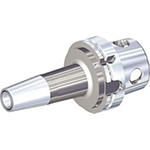

 Axial Adjustment - End
 Accuracy - 3μm or Less
 Shank - Cylindrical Plain ≤h6
 Shank - Cylindrical Whistle Notch™
 Shank - Cylindrical Weldon 2 Flat
 Balance (G 2.5/25,000)
 Coolant - Through Coolant 100 bar (1500 psi) Maximum
 Coolant - Through Coolant 100 bar (1500 psi) Maximum
 Shank: KM4X™
Downloaded file will be available after import in the {{cadTool}} tool library.
| Material Number | 5552358 |
| ISO Catalog ID | KM4X63HPVTTHT088630 |
| ANSI Catalog ID | KM4X63HPVTTHT088630 |
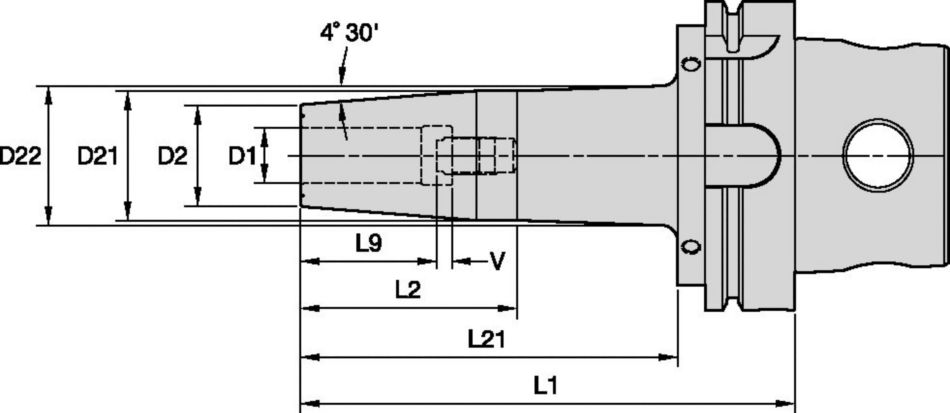
| [D2] Body Diameter 1 Workpiece Side | 33 mm |
| [D2] Body Diameter 1 Workpiece Side | 1.299 in |
| [D21] Body Diameter 2 Workpiece Side | 41.9 mm |
| [D21] Body Diameter 2 Workpiece Side | 1.65 in |
| Max Diameter Taper Angle [D22] | 45.81 mm |
| Max Diameter Taper Angle [D22] | 1.804 in |
| [L1] Gage Length | 160 mm |
| [L1] Gage Length | 6.299 in |
| [L2] Usable Length | 69 mm |
| [L2] Usable Length | 2.72 in |
| [L9] Clamping Length | 41 mm |
| [L9] Clamping Hole Length | 1.61 in |
| [L21] Usable Length | 125.05 mm |
| [L21] Usable Length | 4.923 in |
| [V] Adjustment Range | 10 mm |
| [V] Adjustment Range | 0.394 in |
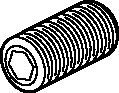
| Stop Screw ID Drive Size | 8 mm |
| Weight Pounds | 4.31 |
| [D1] Adapter / Shank / Bore Diameter | 22.22 mm |
| [D1] Adapter / Shank / Bore Diameter | 0.875 in |
Axial Adjustment - EndAccuracy - 3μm or LessShank - Cylindrical Plain ≤h6Shank - Cylindrical Whistle Notch™Shank - Cylindrical Weldon 2 FlatBalance (G 2.5/25,000)Coolant - Through Coolant 100 bar (1500 psi) MaximumCoolant - Through Coolant 100 bar (1500 psi) MaximumShank: KM4X™Create Solution to calculate Feeds and Speeds
After creating a solution just choose the Feeds & Speeds icon and our system will provide recommendations. You can customize the information by adding your machine and specifications or make adjustments using the sliders.
I have read and accepted the Terms & Conditions of use
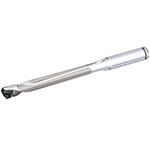


ISO Catalog Number
ANSI Catalog Number
to find similar products.Please select a file to download
Models
. Please enter the desired qty for the material(s) you want to include in your promotion or Proceed Without Promotion and only your base materials will be added to the cart.
Minimum quantity should be
| SAP Material Number | ISO Catalog Number | Grade |
|---|
You are about to leave the Solution building process.
Are you sure you want to leave?